Testing RDK-B Mesh using Zaero Framework
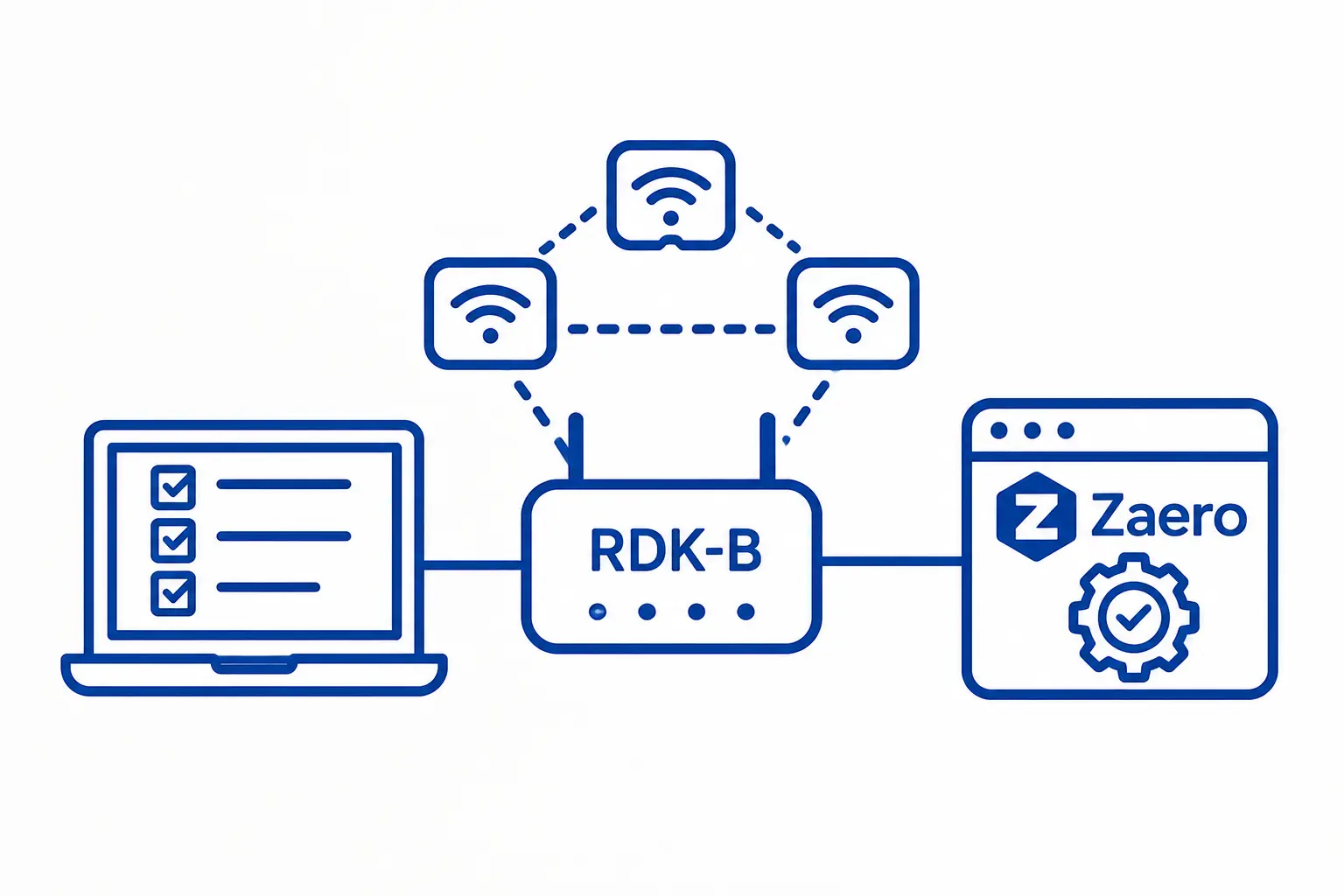
This article introduces the ZAERO framework used in RDK-B mesh test automation and walks through building and executing a simple pytest test case to validate SSID configuration on EasyMesh devices.
Introduction
Manually testing WiFi mesh networking functionality across multiple devices can be time-consuming and error-prone. The ZAERO framework, developed by Zilogic Systems, simplifies this process by providing a Python-based test automation infrastructure for mesh networking test suites. ZAERO supports test automation using both Robot Framework and pytest. In this tutorial, we use pytest to automate and validate RDK-B EasyMesh functionality.
We will walk through the process of setting up ZAERO and the RDK-B mesh test platform on a Banana Pi running RDK-B. We will then configure the test environment, write a simple test case to validate SSID configuration changes, and execute the test using pytest.
Prerequisites
Before you begin, ensure you have:
-
Banana Pi board flashed with RDK-B (EasyMesh/MultiAP enabled)
-
Test machine running Linux (Ubuntu 20.04+) with Python 3.8+
-
Network connectivity between test machine and Banana Pi
Verify your setup:
python3 --version
pip3 --version
Step 1: Install ZAERO Framework
ZAERO is the core infrastructure layer, open-sourced on GitHub. It manages testbed connectivity, packet capture, and communication with your test devices.
1.1 Clone the Repository
git clone https://github.com/zilogic-systems/zaero.git
cd zaero
1.2 Build the Wheel Package
python3 -m pip install build
python3 -m build
This generates a .whl file in the dist/ directory.
1.3 Install ZAERO
cd dist/
python3 -m pip install zaero-*-py3-none-any.whl
Step 2: Install RDK-B Mesh Test Platform
The EM-RDKB-ZaP (RDK-B ZAP layer) provides platform-specific test methods and configuration management for your mesh nodes.
2.1 Clone the Repository
git clone https://github.com/rdkcentral/EM-RDKB-ZaP.git
cd EM-RDKB-ZaP
2.2 Build the Wheel Package
python3 -m pip install build
python3 -m build
2.3 Install rdkbmeshzap
cd dist/
python3 -m pip install rdkbmeshzap-*-py3-none-any.whl
2.4 Initialize Configuration Files
ZAERO uses configuration files to describe your testbed. Copy the infrastructure configuration:
cd ../test/config
python3 -m zaero init_config
This creates infra.yaml from a template. Verify it exists:
ls -la infra.yaml
Step 3: Configure Your Testbed
Before running tests, you must populate two configuration files with your specific hardware and network details.
3.1 Update infra.yaml
Edit EM-RDKB-ZaP/test/config/infra.yaml with your testbed details:
# Example infra.yaml
testbed:
  name: "Banana Pi Mesh Lab"
  gateway:
    ip: "192.168.1.10"
    username: "root"
    password: "your_password"
    ssh_port: 22
  agents:
    - ip: "192.168.1.11"
      username: "root"
      password: "your_password"
    - ip: "192.168.1.12"
      username: "root"
      password: "your_password"
    - ip: "192.168.1.13"
      username: "root"
      password: "your_password"
3.2 Update platform.yaml
Edit EM-RDKB-ZaP/test/config/platform.yaml with radio and interface mappings:
# Example platform.yaml
platform: "rdkbmeshzap"
devices:
  controller:
    al_mac: "00:11:22:33:44:55"  # Your device's AL MAC
    radios:
      - radio_index: 1
        band: "2G"
        ssid_index: "Device.WiFi.SSID.1."
  agent_1:
    al_mac: "00:11:22:33:44:66"
    radios:
      - radio_index: 1
        band: "2G"
Step 4: Writing Your First Test Case
Now let’s write a simple pytest test that verifies SSID configuration changes propagate correctly across your mesh network.
4.1 Create the Test File
Create EM-RDKB-ZaP/test/test_ssid_change.py:
import pytest
import time
from zaero.utils import zi_logger

def test_config_ssid(initialize):
    """
    Test Case: Verify SSID Configuration on Controller

    Objective:
        Configure a new SSID on the controller and verify it is applied
        and retrievable via multiple query methods (GUI, CLI, DataElements).

    Test Procedure:
        1. Generate a random SSID
        2. Set SSID via GUI backend
        3. Poll DataElements and CLI to verify configuration
        4. Assert both methods return the expected SSID
    """
    # Generate a unique SSID for this test run
    ssid = initialize.get_random_ssid()
    zi_logger.print_step(f"Setting SSID to: {ssid}")

    # Set SSID on controller using GUI
    initialize.set_ssid("controller", "mld_iface_index", ssid, 'gui')

    # Poll for convergence (retry up to 30 times, 5 seconds apart)
    for attempt in range(1, 31):
        try:
            # Query via DataElements (rbuscli)
            curr_ssid = initialize.get_ssid("controller", "2g_ssid_index", 'de')

            # Verify the SSID matches what we set
            if curr_ssid != ssid:
                raise Exception(
                    f"SSID mismatch: expected '{ssid}', "
                    f"got '{curr_ssid}' from DataElements"
                )

            # Double-check using CLI (iw command)
            initialize.check_ssid("controller", "mld_iface_index", ssid, 'cli')

        except Exception as err:
            # Log transient failures but continue retrying
            zi_logger.print_warning(
                f"Attempt {attempt}/30: {err} — retrying..."
            )
            time.sleep(5)
        else:
            # Both DataElements and CLI confirmed the SSID
            zi_logger.print_success(
                f"SSID verified on attempt {attempt}: {ssid}"
            )
            break
    else:
        # Loop exhausted without success
        pytest.fail(
            "SSID configuration did not converge after 150 seconds. "
            "Check device logs: cat /var/log/hostapd and cat /var/log/messages"
        )

    # Small delay before teardown
    time.sleep(5)
Step 5: Run the Test
5.1 Run a Single Test
cd EM-RDKB-ZaP/test
pytest test_ssid_change.py::test_config_ssid -v
Expected output (on success):
test_ssid_change.py::test_config_ssid PASSED [100%]

Step: Setting SSID to: ZL-Test-2024-SSID-xyz
Success: SSID verified on attempt 2: ZL-Test-2024-SSID-xyz

======================== 1 passed in 8.42s ========================
5.2 Run with Detailed Logging
For troubleshooting, enable debug output:
pytest test_ssid_change.py::test_config_ssid -v -s --log-cli-level=DEBUG
The -s flag captures print statements, and --log-cli-level=DEBUG shows all framework logs.
Conclusion
In this article, we set up ZAERO and the RDK-B mesh test platform on a Banana Pi-based RDK-B EasyMesh testbed, configured the test environment, and created a pytest-based test case to validate SSID configuration changes.
ZAERO supports both Robot Framework and pytest for test automation. Using reusable Python functions to interact with platform APIs, configure devices, and validate results, any number of test cases can be added and extended based on the required EasyMesh functionality. This provides a scalable and maintainable approach for automating WiFi mesh testing. Reach out to sales@zilogic.com to discuss any requirements for wireless testing services.